Professional Security
Inspection
for Chrome
Run security checks directly in your browser. Inspect headers, detect exposed secrets, and audit authentication — all processed locally with zero data collection.
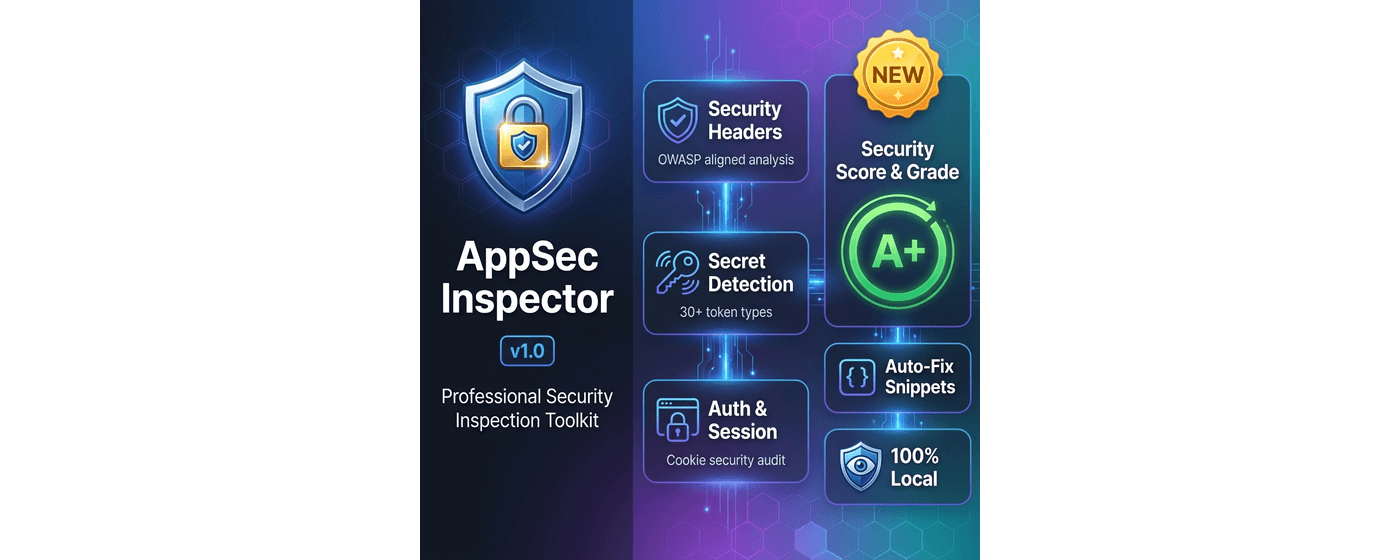
Professional Security Analysis
Comprehensive security inspection with real-time analysis, detailed reporting, and actionable recommendations.

Local analysis with zero data transmission
Instant security insights as you browse
Enterprise-level security analysis
Powerful Security Features
Everything you need for comprehensive web application security analysis
Security Header Inspector
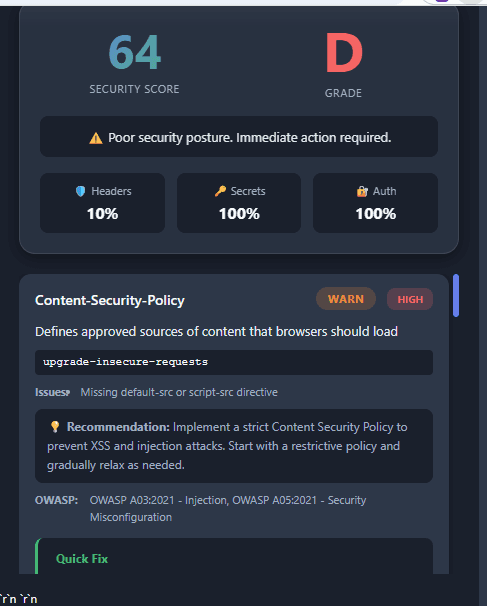
Analyze HTTP security headers with OWASP Top 10 mapping. Get severity-based findings and detailed remediation recommendations.
- ✓CSP, HSTS, X-Frame-Options analysis
- ✓OWASP Top 10 2021 mapping
- ✓Severity levels (PASS/WARN/FAIL)
- ✓Best practice guidance
Token & Secret Detector
Scan DOM, JavaScript, and network requests for exposed secrets. Detect 30+ types including AWS keys, JWT tokens, API keys, and more.
- ✓30+ secret pattern types
- ✓Smart secret masking
- ✓False positive filtering
- ✓Location tracking (DOM/JS/Network)
Auth & Session Checker
Comprehensive authentication and session security analysis. Check cookie security, JWT validation, and session management.
- ✓Cookie security analysis
- ✓JWT token decoding & validation
- ✓Session management audit
- ✓Token expiration checking
Security Score & Grade
Get a comprehensive 0-100 security score with letter grade (A-F). Weighted breakdown with color-coded display and actionable insights.
- ✓0-100 comprehensive rating
- ✓Executive-friendly letter grades
- ✓Weighted breakdown analysis
- ✓Real-time score updates
Auto-Fix Code Snippets
Copy-paste ready configuration fixes for multiple platforms. Nginx, Apache, Node.js/Express, and Spring Boot support.
- ✓Multi-platform support
- ✓One-click copy functionality
- ✓7 security headers covered
- ✓Production-ready code
Export & Share
Export findings in JSON, TXT, or PDF formats. Share results via Twitter, LinkedIn, or copy to clipboard.
- ✓Multiple export formats
- ✓Professional PDF reports
- ✓Social media sharing
- ✓Clipboard integration
Privacy First, Always
Your data never leaves your device. Auto Formatter Pro is designed with a strict local-only architecture — no uploads, no tracking, and no hidden network activity.
100% Local Processing
All analysis runs directly in your browser.
Zero Data Collection
No tracking, telemetry, or analytics of any kind.
No Remote Servers
Works fully offline with no external connections.
Read-Only Inspection
Your data is never modified or transmitted.
How to Use AppSec Inspector
Get started in minutes with our simple 3-step process
Install Extension
Add AppSec Inspector to Chrome from the Web Store or load it manually. The extension icon will appear in your toolbar.
Navigate & Scan
Visit the website you want to inspect. Click the AppSec Inspector icon and choose your scan type: Headers, Secrets, or Auth & Session.
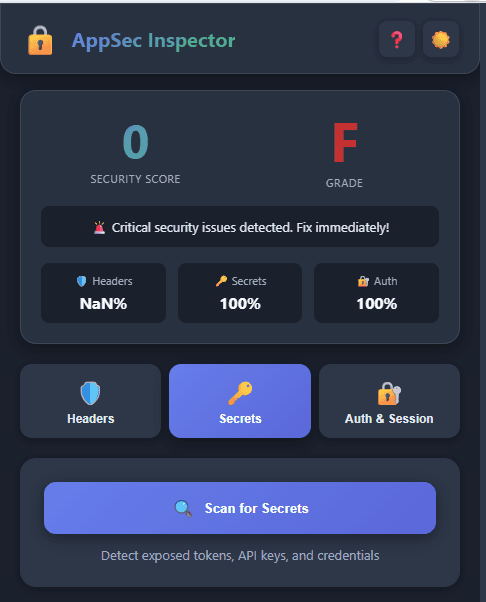
Review & Fix
Review findings with severity levels and recommendations. Copy auto-fix code snippets and export reports for your team.
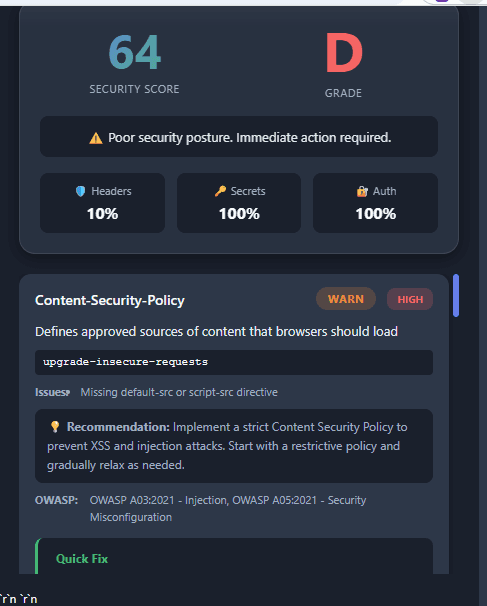
Security Headers Scan
- 1Navigate to the website you want to inspect
- 2Click the AppSec Inspector icon in your toolbar
- 3Go to the Headers tab
- 4Click Scan Security Headers
- 5Review findings with severity levels (PASS/WARN/FAIL)
- 6Read detailed recommendations for each header
- 7Copy auto-fix code snippets for your platform
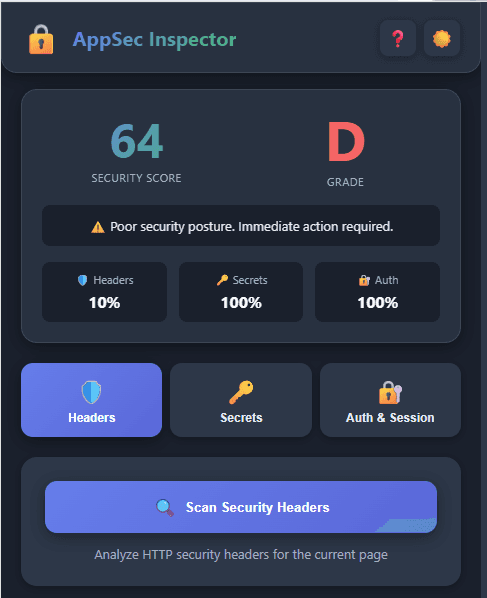
See It In Action
Professional interface with powerful security analysis
Security Score Dashboard
Auto-Fix Code Snippets

Secret Detection Results
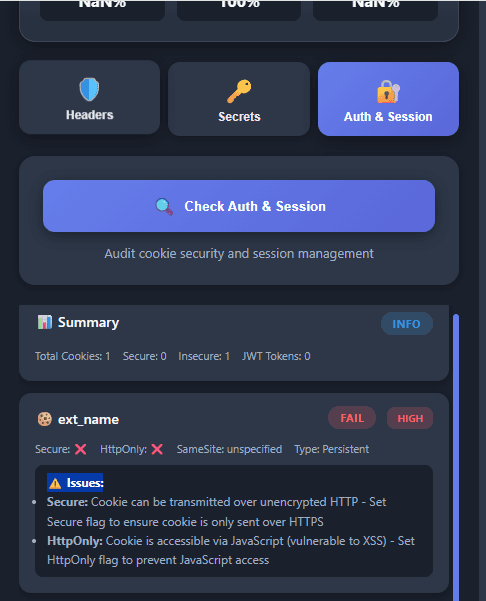
Auth & Session Analysis

Export & Share Options
Get in Touch
Have questions, feedback, or need support? We're here to help!
Email Support
tkarthikeyan@gmail.comBug Reports
Report issues via email or GitHub
Feature Requests
We'd love to hear your ideas!